Google Coral USB Accelerator
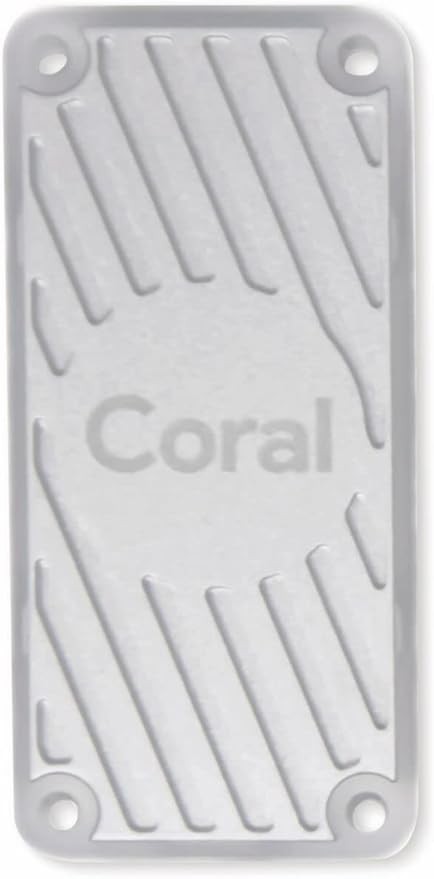
The Google Coral USB Accelerator packs a 4 TOPS Edge TPU into a USB stick form factor that plugs into any computer with USB 3.0. It runs pre-compiled TensorFlow Lite models with extremely low latency and minimal power draw. The universality is its strength — it works with Raspberry Pi, Jetson, Linux PCs, and even macOS, adding AI acceleration anywhere.
Best universal plug-and-play AI accelerator for TFLite models, skip if you need more than 4 TOPS or non-TFLite framework support.
Where to Buy
Pros
- Works with any USB 3.0 computer — Raspberry Pi, Linux PC, Jetson, macOS
- 4 TOPS Edge TPU inference at under 2W power draw from USB
- Sub-millisecond per-inference latency for compiled TFLite models
- No driver complexity — plug in and run with the Edge TPU runtime
Cons
- Only runs pre-compiled TFLite models — no PyTorch, no ONNX, no custom ops
- 4 TOPS is limited for larger models like YOLO v8 medium or large
- USB 3.0 bandwidth ceiling limits throughput for high-resolution inputs
- Google has reduced Coral product investment — uncertain long-term roadmap
- Gets physically hot under sustained load — no heatsink in the enclosure
Universal Compatibility
The Coral USB Accelerator's defining advantage is working with anything that has a USB port. Unlike the Raspberry Pi AI Kit (Pi 5 only), the Jetson (standalone board), or the Coral Dev Board (standalone board), the USB Accelerator adds AI to existing hardware without replacement.
Plug it into a Raspberry Pi 3/4/5, an Intel NUC, a Linux desktop, or even a macOS laptop. Install the Edge TPU runtime, and you have hardware-accelerated TFLite inference. This universality makes it ideal for fleet deployments where hardware is heterogeneous — the same model binary runs identically on every Coral USB regardless of host.
The limitation is USB 3.0 bandwidth. Moving input tensors from host memory to the Edge TPU across USB introduces latency that PCIe-attached accelerators avoid. For single-model inference with small inputs (classification, detection at 300x300), this overhead is negligible. For high-resolution inputs or multi-model pipelines, USB becomes the bottleneck.
Multiple Coral USB sticks can be connected to a single host to scale inference throughput. The PyCoral runtime supports model pipelining across devices, where different segments of a model run on different TPUs. Alternatively, each stick can run a different model independently. Two Coral USBs on a single Pi 4 provide 8 TOPS of combined inference, approaching the Hailo-8L's 13 TOPS at lower per-device cost but higher total system complexity.
TFLite Lock-in and Model Support
The Edge TPU runs only models compiled specifically for it using Google's Edge TPU Compiler. The compiler accepts quantized (INT8) TFLite models and produces an Edge TPU binary. This means your workflow is: train in TensorFlow or PyTorch, convert to TFLite, quantize to INT8, compile for Edge TPU.
Models from the TensorFlow Model Zoo and Google's Coral model page compile cleanly — MobileNet, EfficientNet, SSD MobileNet, PoseNet. Custom models work if they use only TPU-supported operations. Unsupported ops (certain transpose convolutions, dynamic shapes, custom layers) fall back to CPU execution, often negating the accelerator's benefit.
This is the fundamental trade-off versus NVIDIA's CUDA ecosystem. CUDA runs anything — PyTorch, TensorFlow, ONNX, JAX, custom kernels. The Edge TPU runs one thing extremely efficiently. If your model fits TFLite constraints, the Coral is excellent. If it does not, the Coral is useless.
Edge TPU Performance and Limitations
The Edge TPU's 4 TOPS of INT8 inference translates to impressive per-inference latency for models that fit its architecture. MobileNet v2 image classification runs in 2-3 milliseconds per frame, yielding 300+ FPS throughput on the TPU alone (USB transfer overhead brings effective throughput to 100-130 FPS). SSD MobileNet v2 object detection at 300x300 input runs at 70-80 FPS. EfficientDet-Lite0 for higher-accuracy detection runs at 30-40 FPS.
The critical constraint is the 8MB on-chip SRAM. The entire model — weights, activations, and intermediate tensors — must fit within this 8MB budget. Models that exceed it are automatically partitioned: layers that fit run on the Edge TPU, remaining layers fall back to CPU execution on the host. A model that is 50% on-TPU and 50% on-CPU typically runs slower than pure CPU inference due to the data transfer overhead between USB and host memory for each partition boundary.
Quantization to INT8 is mandatory. The Edge TPU has no floating-point units — it processes 8-bit integer operations exclusively. Post-training quantization with a representative calibration dataset is the standard workflow. Quantization-aware training produces better accuracy but requires retraining. Models with operations that do not have INT8 Edge TPU kernels (depthwise separable convolutions with unusual strides, certain attention mechanisms, dynamic tensor shapes) will partially or fully fall back to CPU.
In practice, this means the Coral USB excels at a specific category of models: compact classification and detection architectures from Google's model zoo, quantized to INT8, under 8MB total size. MobileNet, EfficientNet-Lite, SSD MobileNet, and PoseNet are the workhorses. YOLO v8 nano can be compiled for the Edge TPU but pushes against the 8MB limit and runs at only 8-12 FPS versus the Hailo-8L's 30-40 FPS. For anything beyond these compact architectures, the 4 TOPS ceiling and 8MB SRAM constraint become hard blockers.
Frigate NVR and the Home Security Use Case
The Coral USB Accelerator's most popular deployment is inside Frigate NVR, the open-source network video recorder that integrates with Home Assistant. Frigate offloads object detection to the Edge TPU while the host CPU handles video decoding, recording, and the web interface. This separation is critical: without hardware acceleration, a Raspberry Pi 4 can barely run detection on a single camera stream. With a Coral USB, the same Pi 4 handles 4-6 camera streams with person, vehicle, and animal detection at 5-10 FPS per stream.
The typical Frigate setup connects IP cameras via RTSP streams to a Pi 4 or mini PC running Frigate in Docker. The Coral USB handles detection on every frame (or every Nth frame for performance tuning). Frigate only records clips when objects of interest are detected, dramatically reducing storage requirements compared to continuous recording. Home Assistant integration enables automations: turn on lights when a person is detected in the driveway, send a phone notification when a package appears on the porch, or trigger a siren when an unknown vehicle enters the property.
For this specific use case, the Coral USB's limitations barely matter. Frigate uses SSD MobileNet or MobileNet v2 for detection — compact models that fit well within the 8MB SRAM limit and the TFLite requirement. The 4 TOPS throughput is adequate for detection (not classification) at the frame rates home security requires. The universal USB compatibility means Frigate users can migrate from Pi to NUC to NAS without replacing the accelerator. This is why the Coral USB remains the recommended accelerator in Frigate's documentation despite Google's reduced investment in the product line.
Full Specifications
Processor
| Specification | Value |
|---|---|
| ai_accelerator | Google Edge TPU (4 TOPS) [1] |
| ai_performance | 4 TOPS [1] |
| host_requirement | Any Linux/macOS/Windows computer with USB 3.0 [1] |
I/O & Interfaces
| Specification | Value |
|---|---|
| frameworks | TensorFlow Lite (compiled models only) [2] |
| USB | USB 3.0 Type-C (or Type-A via adapter) [2] |
Power
| Specification | Value |
|---|---|
| Input Voltage | USB-powered [1] |
| power_draw | ~2 W [1] |
Physical
| Specification | Value |
|---|---|
| Dimensions | 65 x 30 mm [2] |
| Form Factor | USB stick [2] |
Who Should Buy This
The Coral USB is the best AI accelerator for the Pi 4, which lacks a PCIe slot for the Raspberry Pi AI Kit. Plug into USB 3.0 and run MobileNet SSD at 70+ FPS. No hardware modification needed.
The Coral USB at 4 TOPS runs YOLO v8 nano at about 10 FPS. The Raspberry Pi AI Kit with its Hailo-8L at 13 TOPS runs the same model at 30-40 FPS via PCIe. If you have a Pi 5, the AI Kit is the better investment.
Better alternative: Raspberry Pi AI Kit (Hailo-8L)
The Edge TPU only runs TFLite models compiled with Google's Edge TPU compiler. Custom ops, dynamic shapes, and non-standard layers fall back to CPU. The Jetson Orin Nano with CUDA runs arbitrary models with full framework flexibility.
Better alternative: NVIDIA Jetson Orin Nano Super Developer Kit (8GB)
Plug the Coral USB into a Pi Zero 2 W or any laptop. Run a quantized bird classification model at low power. The USB form factor is ideal for portable field use — no external power supply needed, draws under 2W from the host USB port.
The Coral USB works identically on Pi, Jetson, Intel NUC, and Linux servers. One deployment target across mixed hardware. The same compiled TFLite model runs on any Coral device without recompilation.
Ecosystem & Community
The Coral USB Accelerator is the most popular plug-in AI accelerator for Frigate NVR, adding 4 TOPS of Edge TPU inference to any Raspberry Pi, PC, or NAS. Plugs into USB 3.0, runs pre-compiled TFLite models. The go-to choice for Home Assistant users adding AI detection to security cameras.
Compatible Software
What to Build First
Plug the Coral USB into a Raspberry Pi 4/5 or Mini PC running Frigate, configure it as the detection backend, and get real-time person/vehicle/animal detection on 4+ camera streams with minimal CPU usage. The Edge TPU handles all neural network inference.
View tutorial →Must-Have Accessories
Tutorials & Resources
- Coral AI DocumentationOfficial setup guide for USB Accelerator on Linux, macOS, and Windowsdocs
- Frigate NVR Coral IntegrationConfiguration guide for using Coral USB as Frigate's detection backenddocs
- Home Assistant + Frigate + Coral GuideEnd-to-end home security AI setup with Home Assistant integrationtutorial
- PyCoral LibraryPython API for Edge TPU inference — works identically with USB and Dev Boardgithub
Frequently Asked Questions
Coral USB Accelerator vs Raspberry Pi AI Kit?
The Coral USB has 4 TOPS via USB and works with any computer. The Pi AI Kit has 13 TOPS via PCIe but requires a Pi 5. Choose the Coral for universal compatibility or Pi 4 projects. Choose the AI Kit for maximum Pi 5 performance.
Can the Coral USB Accelerator run PyTorch models?
Not directly. You must convert PyTorch models to TFLite format, quantize to INT8, and compile with the Edge TPU Compiler. Only models using TPU-compatible operations will run on the Edge TPU. Incompatible ops fall back to CPU.
How hot does the Coral USB get?
Under sustained inference load, the USB stick reaches 50-60 degrees Celsius. The enclosure has no heatsink. For continuous operation, ensure adequate airflow. Some users add small adhesive heatsinks to the enclosure for thermal management.
Can I use multiple Coral USB sticks on one computer?
Yes. The Edge TPU runtime supports multiple Coral devices simultaneously. You can distribute model segments across sticks or run different models on each. This is commonly used to scale throughput beyond a single TPU's 4 TOPS.
Does the Coral USB work with macOS?
Yes, with limitations. The Edge TPU runtime supports macOS with Python. USB 3.0 performance is best on Linux. On macOS, inference speed may be slightly lower due to USB driver differences.
Is Google still supporting Coral products?
Google has reduced Coral product updates and new hardware development. The existing Edge TPU runtime, compiler, and models continue to work. For new projects, verify product availability and consider the Raspberry Pi AI Kit as an actively developed alternative.
Coral USB vs Coral Dev Board?
The USB Accelerator adds 4 TOPS to any computer via USB. The Dev Board is a standalone SBC with the same Edge TPU plus CPU, WiFi, and camera input. Choose the USB stick for adding AI to existing hardware; choose the Dev Board for a standalone AI device.
Compared In
Google Coral USB Accelerator appears in 1 buying guide on PAM Finds. These weigh it directly against the alternatives.