BBC micro:bit V2
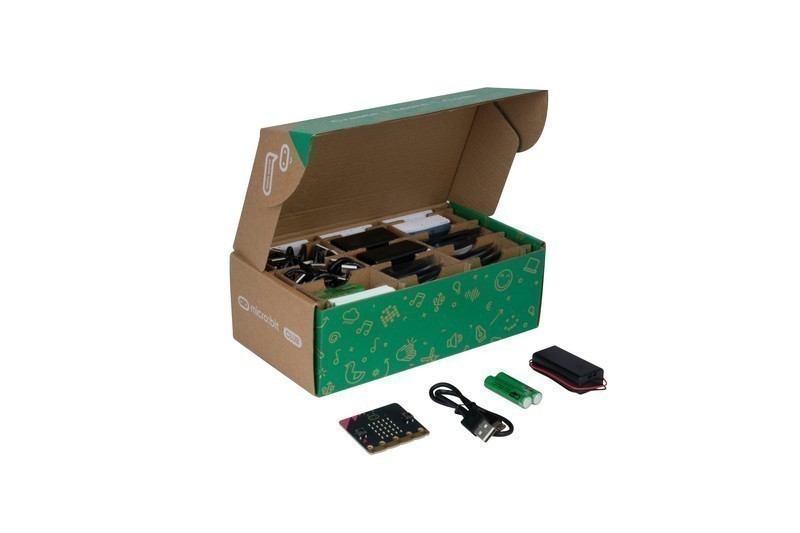
The BBC micro:bit V2 is a pocket-sized educational microcontroller with a 5x5 LED matrix, built-in speaker, microphone, accelerometer, compass, touch sensor, and BLE 5.0. Used by over 70 million students worldwide, it runs MakeCode (block-based), MicroPython, and JavaScript with an ecosystem designed to make coding and physical computing accessible to children as young as 7.
Best educational microcontroller for children and classrooms, skip if you need WiFi or advanced performance.
Where to Buy
Pros
- Built-in sensors (accelerometer, compass, mic, speaker, touch, light, temperature) — no wiring needed
- MakeCode block editor makes coding accessible to children aged 7+
- Used by 70M+ students — the largest educational computing platform
- Edge connector expands to external components and accessories
- BLE 5.0 for wireless projects and phone app integration
Cons
- No WiFi — BLE only for wireless communication
- 64MHz Cortex-M4 with 128KB SRAM — limited for complex projects
- Micro-USB instead of USB-C
- 512KB flash fills quickly with MicroPython programs
Education First
The micro:bit was created by the BBC to get every 11-year-old in the UK coding. It succeeded — and expanded to 70 million users in 60 countries. The MakeCode editor runs in a browser, uses drag-and-drop blocks (like Scratch), and compiles to the device via USB. No software installation needed. Teachers can distribute code via shared URLs, and students can test in the browser simulator before flashing to hardware. This zero-install workflow eliminates the IT setup headaches that plague Arduino deployments in schools.
The built-in sensors mean a student's first project can be interactive in minutes: shake the board to roll dice on the LED matrix, clap to trigger a sound, tilt to control a game. This immediate feedback loop is what makes the micro:bit effective as a teaching tool. Compare this to Arduino, where a simple temperature reading project requires a breadboard, jumper wires, a DHT11 sensor, and a pull-up resistor before any code is written. The micro:bit's onboard accelerometer, compass, microphone, speaker, and touch sensor bypass all that wiring complexity, keeping the focus on programming logic rather than circuit debugging.
MakeCode vs MicroPython
The micro:bit supports two primary programming environments, each targeting a different skill level. MakeCode provides a Scratch-like block editor where students drag logic blocks to build programs visually. Under the hood, MakeCode compiles blocks to efficient native ARM code, so the 64MHz Cortex-M4 runs block programs at full speed. This matters because it means beginners are not penalized with sluggish execution while learning. MakeCode also includes a built-in simulator that mirrors the physical board's LED matrix, buttons, and sensors, letting students iterate without constantly reflashing.
MicroPython on the micro:bit uses a stripped-down Python interpreter that fits within the 512KB flash. Students can transition from blocks to text coding by switching to the Python editor at python.microbit.org, which also runs in-browser with a simulator. The Python API is intentionally simplified: `display.show('Hello')`, `accelerometer.get_x()`, `microphone.sound_level()`. However, the 128KB SRAM constrains what MicroPython can do. Large data structures, string manipulation, or importing multiple modules can exhaust memory quickly. Programs that would run fine on a Raspberry Pi Pico W with 264KB SRAM will crash on the micro:bit. For students outgrowing MicroPython on the micro:bit, the Pico W is the natural next step.
Onboard Sensors and Hardware Limits
The V2 packs an impressive sensor array for its size: a 3-axis accelerometer and magnetometer provide motion and compass data, the MEMS microphone detects sound levels and claps, the touch-sensitive logo adds capacitive input, and the 5x5 LED matrix doubles as a rudimentary light sensor. The built-in speaker produces tones and simple melodies without any external components. For classroom projects covering input-process-output concepts, this integrated hardware is unmatched at any price.
The limitations become apparent when projects grow beyond the educational scope. The 5x5 LED matrix cannot display detailed graphics or text longer than a scrolling ticker. There is no analog output beyond PWM, no DAC, and no ADC with meaningful resolution for precision measurements. The 512KB flash fills quickly when MicroPython programs import multiple modules, and the 128KB SRAM constrains data buffering. Most critically, the lack of WiFi means the micro:bit cannot participate in IoT projects, cloud dashboards, or networked applications. For students ready to move beyond basic physical computing, the Raspberry Pi Pico W at roughly the same price adds WiFi, 264KB SRAM, 2MB flash, and a 133MHz dual-core processor that dramatically extends what is possible. The micro:bit excels as a gateway device, but it is explicitly designed with a ceiling that encourages graduation to more capable platforms.
Classroom to Maker: The micro:bit Learning Path
The micro:bit's real strength is as a structured on-ramp to embedded programming, with clear progression stages that keep students engaged as their skills develop. The journey starts with MakeCode's block-based editor, where children as young as 8 drag and drop logic blocks to create programs — if-then conditions, loops, variable assignments — without typing a single line of code. The 5x5 LED matrix and built-in speaker provide instant visual and audio feedback, which is critical for maintaining engagement at this age. A student can build a step counter using the accelerometer, a digital compass using the magnetometer, or a clap-activated alarm using the MEMS microphone, all within their first hour.
The intermediate step is MicroPython, accessible through python.microbit.org's browser-based editor. Students transition from blocks to text coding with a simplified API: `display.show(Image.HAPPY)`, `accelerometer.get_x()`, `microphone.current_event()`. The micro:bit's MicroPython API exposes all onboard sensors — the 3-axis accelerometer reports tilt in milligravity units, the compass returns heading in degrees (0-360), and the microphone detects sound events like loud claps or sustained noise above configurable thresholds. These sensor APIs teach real data handling: polling rates, thresholds, moving averages, and event-driven programming patterns.
Bluetooth mesh networking opens up group projects that teach distributed systems concepts. Using the micro:bit's BLE 5.0 radio, students can build classroom voting systems where each micro:bit sends a vote to a collector node, multiplayer games where boards communicate player positions over radio groups, or environmental monitoring networks where 10-20 micro:bits report temperature readings to a central display. The radio module supports 80 frequency groups with configurable power levels from 0 to 7, giving students hands-on experience with wireless communication concepts like channel selection, signal strength, and message reliability.
When students outgrow the micro:bit's 64MHz processor, 128KB SRAM, and 512KB flash, the natural progression paths are well-established. Students interested in physical computing and robotics move to Arduino, where the C++ environment and vast shield ecosystem open up motor control, sensor fusion, and serial communication. Students drawn to software and networking graduate to the Raspberry Pi Pico W, which runs the same MicroPython language they already know but with WiFi, 264KB SRAM, and a 133MHz dual-core RP2040. The micro:bit deliberately does not try to be everything — its constrained hardware creates a safe learning sandbox where mistakes are low-cost, feedback is immediate, and the path forward is always visible.
Full Specifications
Processor
| Specification | Value |
|---|---|
| Architecture | ARM Cortex-M4 [1] |
| CPU Cores | 1 [1] |
| Clock Speed | 64 MHz [1] |
Memory
| Specification | Value |
|---|---|
| Flash | 0.512 MB [1] |
| SRAM | 128 KB [1] |
Connectivity
| Specification | Value |
|---|---|
| Bluetooth | 5.0 [1] |
I/O & Interfaces
| Specification | Value |
|---|---|
| imu | LSM303AGR (accelerometer + compass) [1] |
| microphone | MEMS microphone with LED indicator [1] |
| speaker | Built-in speaker [1] |
| Display | 5x5 red LED matrix [1] |
| GPIO Pins | 25 [1] |
| touch_sensor | Touch-sensitive logo [1] |
| buttons | 2 programmable buttons + reset [1] |
| USB | Micro-USB [1] |
Power
| Specification | Value |
|---|---|
| Input Voltage | 3 V [1] |
| battery_connector | JST PH (2x AAA) [1] |
Physical
| Specification | Value |
|---|---|
| Dimensions | 52 x 42 mm [1] |
| Form Factor | Credit-card sized (with edge connector) [1] |
Who Should Buy This
MakeCode's drag-and-drop blocks are designed for children. The LED matrix shows output immediately. Built-in sensors enable interactive projects without any wiring. 70M students have used it — the curriculum resources are unmatched.
The micro:bit is designed for children. Adults should start with the Raspberry Pi Pico W (MicroPython, more power, WiFi) or Arduino Uno R4 WiFi (broader ecosystem).
Better alternative: Raspberry Pi Pico W
Ecosystem & Community
The micro:bit ecosystem is designed for education: MakeCode provides block-based programming (like Scratch), the Python editor runs in-browser, and microbit.org hosts 200+ teacher-tested projects. Used by 70 million students across 60+ countries. No soldering, no breadboards — just code and go.
Compatible Software
What to Build First
Program the micro:bit to display a scrolling message on the 5x5 LED matrix when shaken — using MakeCode's drag-and-drop blocks. Takes 5 minutes, demonstrates input (accelerometer), processing (code), and output (LEDs) in one lesson.
View tutorial →Must-Have Accessories
Tutorials & Resources
- micro:bit Classroom ResourcesTeacher-tested lesson plans, projects, and curriculum-aligned activitiesdocs
- MakeCode EditorIn-browser block-based programming environment — no install requiredtutorial
- micro:bit Python EditorIn-browser MicroPython editor with simulator and device flashingdocs
- MakeCode for micro:bitOpen-source block-based programming framework for the micro:bitgithub
Frequently Asked Questions
What age is the micro:bit for?
Designed for ages 7-14, but used by all ages. MakeCode blocks suit ages 7-11. MicroPython text coding suits ages 11-14+. The hardware is simple enough for young children but capable enough for meaningful projects.
micro:bit vs Arduino for education?
The micro:bit is better for younger students (7-12) due to MakeCode blocks and built-in sensors. Arduino is better for older students (13+) who are ready for text-based coding and external component wiring. Many curricula progress from micro:bit to Arduino.
Can the micro:bit connect to WiFi?
No. The micro:bit has BLE 5.0 only. For WiFi projects, use a Raspberry Pi Pico W or ESP32. The micro:bit focuses on direct physical computing rather than internet connectivity.
What is the edge connector?
The bottom of the micro:bit has a card-edge connector with 25 pins. Breakout boards snap onto it to connect external LEDs, motors, sensors, and displays. Accessories are widely available from multiple manufacturers.
Is the micro:bit still relevant in 2026?
Yes. It remains the most widely deployed educational microcontroller globally. The MakeCode editor, classroom resources, and teacher community are unmatched. For children's coding education, nothing else has this level of ecosystem support.