Bambu Lab P2S Combo
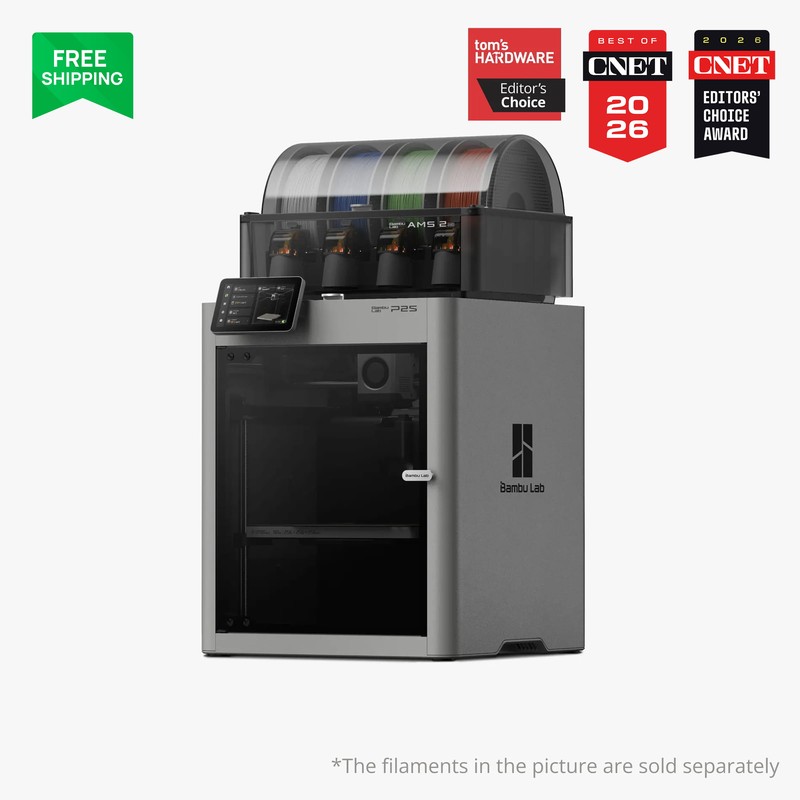
The Bambu Lab P2S Combo is the enclosed CoreXY successor to the P1S, shipping with AMS 2 Pro. Build volume stays 256x256x256 mm. Manufacturer claims 600 mm/s at 20000 mm/s², a DynaSense PMSM servo extruder, a 5-inch second-gen touchscreen, and AI failure detection. Chamber heat is passive, about 50°C, with a carbon filter.
Buy the Combo if we want AMS 2 Pro drying on a P-series frame — skip if a working P1S plus AMS already covers the desk, or if we need open-source firmware.
Where to Buy
Pros
- 256x256x256 mm enclosed CoreXY with AMS 2 Pro in the Combo SKU Amazon is actually selling
- PMSM servo extruder and eddy-current flow calibration target high-flow PLA/PETG without a separate dryer box
- 5-inch color touchscreen and 1080p AI camera replace the P1S monochrome panel
- Quick-swap hardened hotend; Bambu Studio / OrcaSlicer path is the same as the rest of the P series
- Official page lists ~50°C passive chamber plus carbon filter for ABS/ASA without active heaters
Cons
- Firmware stays closed — no Klipper, no community macros
- Chamber is not actively heated; skip if we need a controlled 65°C box like the H2D
- Combo is the Amazon hop; printer-only and extra AMS 2 Pro pages are separate SKUs
What the Combo actually ships
Amazon US is selling the P2S Combo with AMS 2 Pro, not a printer-only box. That matches the hop: /go/bambu-lab-p2s/amazon/. The printer itself is a 256x256x256 mm enclosed CoreXY. Bambu lists 600 mm/s and 20000 mm/s²; treat those as manufacturer maxima, not a guarantee on every filament.
AMS 2 Pro is its own product page. We are not duplicating that accessory here. Combo is the printer-plus-dryer SKU. Extra AMS 2 Pro or AMS HT units remain separate purchases if we want more than four slots.
P2S versus P1S on the bench
Volume is unchanged from the P1S. The useful deltas are the PMSM servo extruder, 5-inch UI, quick-swap hotend, and AI camera. Chamber heat is still passive. Skip the upgrade if the P1S already prints the parts we need.
Skip the whole Bambu line if we want to flash Klipper. That constraint has not changed.
Full Specifications
Connectivity
| Specification | Value |
|---|---|
| WiFi | Dual-band Wi-Fi [1] |
I/O & Interfaces
| Specification | Value |
|---|---|
| Extruder | DynaSense PMSM servo direct drive [1] |
| Hotend | All-metal hardened steel, quick-swap [1] |
| Auto Leveling | Eddy current flow + automatic bed leveling [1] |
| Build Plate | Textured PEI spring steel [1] |
| Camera | 1080p with AI failure detection [1] |
| Display | 5" color touchscreen (2nd-gen UI) [1] |
Physical
| Specification | Value |
|---|---|
| Enclosure | Fully enclosed, passive ~50°C chamber, carbon filter [1] |
| Multi-Color | AMS 2 Pro included (Combo); up to 4x AMS 2 Pro [1] |
| Dimensions | 392 x 406 x 478 mm [1] |
Who Should Buy This
Combo includes AMS 2 Pro (65°C drying, 4 slots). 256 mm cube and 300°C hotend cover the same materials as the P1S. Skip if we refuse cloud firmware.
Same 256 mm volume. The P2S buys a servo extruder and 5-inch UI, not more build size. Keep the P1S unless the new toolhead is the point.
Better alternative: Bambu Lab P1S
Same closed Bambu stack as the P1S. Prusa MK4S stays the open-firmware path.
Better alternative: Prusa MK4S
Frequently Asked Questions
Does the Amazon hop include AMS 2 Pro?
Yes. The mapped ASIN is the P2S Combo with AMS 2 Pro. The standalone AMS 2 Pro page is a different product. Printer-only P2S listings are not this hop.
P2S vs P1S — should we upgrade?
Same 256 mm cube. P2S adds a servo extruder, 5-inch screen, and AI camera. Keep a working P1S plus AMS unless those toolhead and UI changes are the reason to buy.
Is the chamber actively heated?
No. Bambu describes a sealed chamber around 50°C with a carbon filter. For controlled 65°C chamber heat, look at the H2D, not the P2S.
Can we run Klipper on the P2S?
No. Firmware is Bambu proprietary, same as the P1S. Skip this machine if open firmware is a requirement.
What slicer do we use?
Bambu Studio is the supported path. OrcaSlicer still talks to the same ecosystem. Profiles will lag on day-one firmware; check the version before a long ABS print.