Prusa MK4S
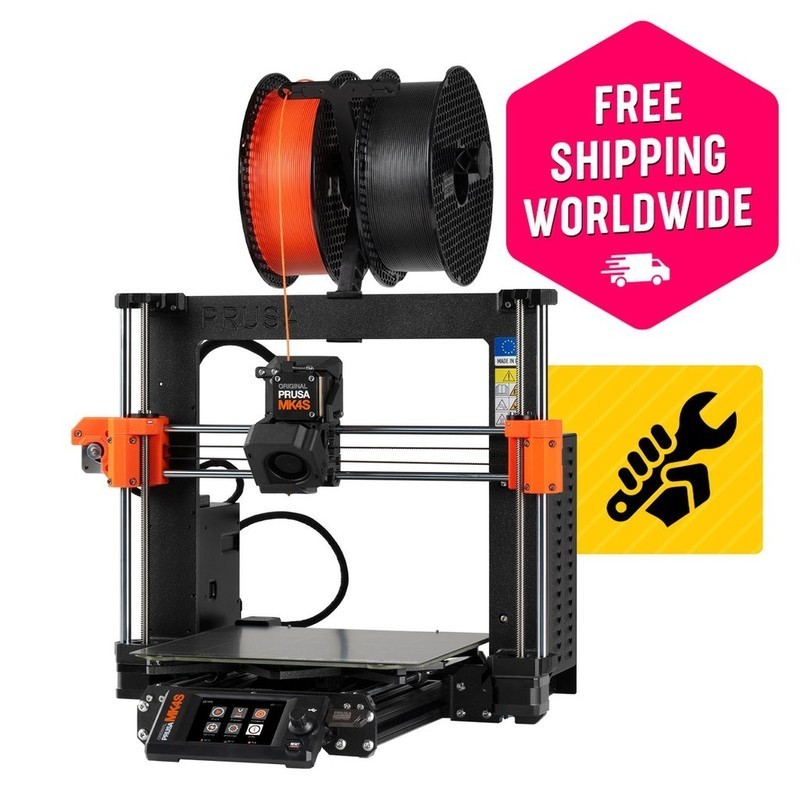
The Prusa MK4S is an open-source bed-slinger 3D printer with a 250x210x220mm build volume, Nextruder high-flow extruder delivering 24mm³/s, loadcell-based auto-leveling, 360° part cooling, and WiFi/Ethernet connectivity. Available as a kit ($799) or assembled ($999), it is the benchmark for open-source printing quality and long-term repairability.
Best for open-source advocates and print quality purists — skip if print speed is your primary concern or your budget is under $500.
Where to Buy
Pros
- Fully open-source firmware and hardware — community mods, custom builds, and firmware forks welcomed
- Nextruder with 24mm³/s flow rate and loadcell auto-leveling — no probe to calibrate, no Z-offset to set
- 360° cooling with 7000RPM fan — best bridging and overhang performance in its class
- 10+ year track record of spare parts availability and community support
- MMU3 compatible for 5-color multi-material printing with improved filament loading reliability
Cons
- Kit at $799 / assembled at $999 — significantly more expensive than Bambu A1 ($299) for similar specs
- Max speed ~200mm/s practical — roughly 2-3x slower than Bambu and Creality CoreXY printers
- Open frame with no enclosure — same ABS limitations as the Bambu A1
- MMU3 multi-material adds $299 and has a steeper learning curve than Bambu's AMS
- PrusaSlicer is functional but lacks the polish of Bambu Studio's one-click workflow
Open Source as a Feature
The MK4S is not just a printer with published schematics — it is the reference implementation for open-source 3D printing. The firmware source code is on GitHub. The hardware designs are published under an open license. The community has produced thousands of mods, from alternative extruders to custom bed sizes to complete frame rebuilds.
This matters for two reasons. First, you are never locked in. If Prusa disappeared tomorrow, the community could maintain the firmware and produce spare parts. Second, you can customize everything. Add a filament runout sensor with a custom mount and firmware support. Replace the control board with a BTT SKR. Swap the hotend for a Revo or Dragon. The MK4S encourages this; Bambu's firmware actively prevents it.
The Nextruder itself is a showcase of open-source engineering. The loadcell measures nozzle pressure during probing with 0.01mm resolution — more precise than any inductive probe or strain gauge. The 24mm³/s flow rate handles PLA, PETG, and even nylon with consistent extrusion. The design is documented well enough that community members have produced replacement parts on other printers.
Speed vs Quality: The Honest Trade-off
The MK4S's practical speed ceiling is around 200mm/s — well below the 500mm/s that Bambu and Creality advertise. This is the single biggest objection buyers raise, and it deserves an honest answer.
At 200mm/s, the MK4S produces visibly smoother surfaces than a Bambu P1S running at 500mm/s. Corner definition is sharper, layer lines are more uniform, and overhangs are cleaner thanks to the 360° cooling system pushing 7000RPM of airflow around the part. If your prints are functional prototypes where surface finish matters — gears, snap-fits, enclosures with tight tolerances — the MK4S wins.
But time is also a resource. Reviewers report a Benchy takes approximately 35-40 minutes on the MK4S versus 15-17 minutes on the P1S. For print farms, batch production, or iterative prototyping where speed matters more than surface finish, the CoreXY printers are objectively better tools. The MK4S is for people who value the last 10% of quality over the first 50% of speed.
MMU3: Multi-Material the Hard Way
The Multi-Material Upgrade 3 (MMU3) adds 5-color printing to the MK4S for $299. Unlike Bambu's AMS, which was designed alongside the printer, the MMU3 is a bolt-on system that feeds filament through a selector and into the Nextruder. It works, but it demands more patience.
The MMU3 improved significantly over the MMU2S, with a redesigned selector mechanism that reduces jams. But filament tip shaping — the process of forming a clean point on retracted filament so it feeds smoothly back in — still requires per-material tuning. PLA works out of the box. PETG needs adjusted cooling moves. TPU is technically possible but frustrating.
The advantage over Bambu's AMS: the MMU3 is fully open-source. Community members have developed improved selector designs, custom purge systems that reduce waste by 40-60%, and alternative tip-shaping algorithms. If you are willing to invest time in tuning, the MMU3 can produce results that match the AMS. If you want multi-color that works on the first try, the Bambu ecosystem is the easier path.
Nextruder and 360-Degree Cooling: Engineering Details
The Nextruder is Prusa's ground-up extruder redesign, and its loadcell-based probing is the standout technical achievement. Instead of an inductive probe or strain gauge mounted to the carriage, the loadcell measures force directly at the nozzle tip during probing. This gives 0.01mm Z-height resolution across the entire bed surface — more precise than the BLTouch (0.05mm), CR Touch (0.03mm), or inductive probes that struggle on non-metallic bed surfaces. The practical benefit: first layers are consistently perfect without manual Z-offset tweaking, even on textured PEI sheets where inductive probes lose accuracy.
The 360-degree part cooling fan spins at 7000RPM and directs airflow from every angle around the printed part. Most printers cool from one or two sides, creating asymmetric cooling that causes one side of overhangs to sag while the other side prints cleanly. The MK4S's omnidirectional cooling eliminates this asymmetry, producing the cleanest bridging and overhang performance in its class. Independent reviewers consistently report clean 60-degree overhangs without supports — a threshold where most competitors begin showing artifacts.
Open Source Philosophy and Repairability
The MK4S is not merely open-source as a marketing label — it is open-source as an operational principle. The firmware source code lives on GitHub under GPL. The hardware schematics, CAD files, and bill of materials are published and freely available. The assembly manual documents every screw, washer, and cable routing decision. This level of transparency is unique among major 3D printer manufacturers and has concrete benefits that justify the Prusa premium for a specific type of buyer.
Repairability is the most tangible benefit. Every component on the MK4S can be individually replaced with off-the-shelf parts or Prusa-supplied spares. The Nextruder hotend uses standard V6-compatible nozzles. The stepper motors are NEMA 17 with standard connectors. The Buddy control board's schematics are published, so a failed MOSFET can be diagnosed and replaced by anyone with soldering skills. Prusa has maintained spare parts availability for every printer they have shipped since the original i3 MK1 in 2012 — a 14-year track record that no competitor matches. When a Bambu Lab mainboard fails out of warranty, you buy a proprietary replacement from Bambu or you own a paperweight. When a Prusa board fails, you can source components from any electronics distributor.
Prusa's community contributions extend beyond their own products. PrusaSlicer is the most-forked open-source slicer — OrcaSlicer, SuperSlicer, and BambuSlicer all descend from Prusa's codebase. Prusa owns Printables, the largest 3D model sharing platform with over 3 million models. Their documentation team produces assembly guides that have become the gold standard for hardware documentation. Some users pay the $799-999 price specifically to support this ecosystem — the same way some developers pay for open-source tools they could use for free. The premium buys not just a printer but the continued existence of the open-source 3D printing infrastructure that every manufacturer, including Bambu and Creality, benefits from.
Common Gotchas
Print speed is roughly 200mm/s — genuinely slower than the Bambu Lab P1S at 500mm/s. Prusa prioritizes quality and reliability over raw speed. If you're coming from watching Bambu speed benchmarks on YouTube, the MK4S will feel slow. A Benchy takes 30-40 minutes vs 18 minutes on the P1S.
The Nextruder hotend is Prusa-proprietary. You cannot use standard E3D V6 nozzles or third-party hotends without modification. Prusa nozzles are reasonably priced ($5-15) and widely available, but the proprietary lock-in concerns some users. Prusa has published the hotend design as open-source, but third-party alternatives are limited.
First-layer calibration on textured PEI sheets can be finicky. The textured surface requires slightly different Z offset than the smooth sheet. When switching between sheets, you need to adjust the Z offset — Prusa profiles help but aren't always perfect.
Assembly from kit takes 8-12 hours for a first-time builder. The assembled version costs more but saves significant time. The instruction manual is excellent (best in the industry), but budget a full weekend for the kit build.
Full Specifications
Connectivity
| Specification | Value |
|---|---|
| WiFi | 802.11 b/g/n [1] |
| ethernet | Yes [1] |
I/O & Interfaces
| Specification | Value |
|---|---|
| Extruder | Nextruder direct drive [1] |
| Hotend | All-metal high-flow (24mm³/s) [1] |
| Auto Leveling | Loadcell sensor [1] |
| Build Plate | Double-sided PEI spring steel [1] |
| Camera | No (optional add-on) [1] |
| Display | 3.5" color LCD [1] |
Physical
| Specification | Value |
|---|---|
| Enclosure | Open frame (enclosure add-on available) [1] |
| Multi-Color | MMU3 compatible (up to 5 colors) [1] |
| Dimensions | 500 x 550 x 400 mm [1] |
Who Should Buy This
The MK4S is the only major printer with fully open-source firmware (Buddy board running Marlin-based PrusaFirmware), open hardware schematics, and a decade of community mod documentation. You can fork the firmware, add sensors, replace the extruder — Prusa supports it all.
The Nextruder's loadcell probing detects first-layer pressure with 0.01mm precision. 360° cooling at 7000RPM handles 60° overhangs without supports. At slower speeds (100-150mm/s), the MK4S produces visibly cleaner surfaces than Bambu printers running at 500mm/s.
The kit requires 6-10 hours to assemble. Even the pre-assembled version needs more manual tuning than a Bambu printer. PrusaSlicer has more settings to learn than Bambu Studio. The A1 Mini at $199 delivers hands-off printing from minute one.
Better alternative: Bambu Lab A1 Mini
At ~200mm/s practical speed, the MK4S prints 2-3x slower than the Bambu P1S or Creality K1 Max. For print farms and production volume, speed matters more than marginal quality differences. The P1S's CoreXY kinematics are purpose-built for throughput.
Better alternative: Bambu Lab P1S
Prusa has sold spare parts for every printer they have ever made, including the original i3 MK1 from 2012. Every component is documented, replaceable, and available. The MK4S is an investment in repairability and longevity that no other manufacturer matches.
Ecosystem & Community
Prusa owns Printables (the largest 3D model sharing platform), develops PrusaSlicer (the most forked open-source slicer), and maintains a decade of community mods. The most mature open-source 3D printing ecosystem.
Compatible Software
What to Build First
Assemble the MK4S kit (6-10 hours of learning), print your first Benchy to validate calibration, then print your first upgrade — a better spool holder or filament guide. The MK4S is the printer you upgrade by printing upgrades.
View tutorial →Must-Have Accessories
Video Reviews & Tutorials
Tutorials & Resources
- Prusa Knowledge BaseOfficial assembly guides, maintenance procedures, and troubleshooting for every Prusa printerdocs
- Prusa PrintablesPrusa-owned model sharing platform with MK4S-specific profiles and modstutorial
- PrusaSlicerOpen-source slicer — the foundation that OrcaSlicer and others fork fromgithub
Frequently Asked Questions
Prusa MK4S vs Bambu Lab P1S: which should I buy?
The P1S wins on speed (500mm/s vs ~200mm/s), enclosure, and plug-and-play ease. The MK4S wins on print quality at lower speeds, open-source firmware, repairability, and long-term parts availability. Choose based on whether you value speed and convenience (P1S) or quality and openness (MK4S).
Should I buy the kit or the assembled MK4S?
The kit ($799) takes 6-10 hours and teaches you how the printer works mechanically — invaluable for future maintenance and troubleshooting. The assembled version ($999) saves time but you miss the learning experience. If you can afford it and are new to 3D printing, the kit builds mechanical intuition.
Is the MK4S too slow in 2026?
For print farms and production, yes — CoreXY printers are 2-3x faster. For hobbyists prioritizing quality, no. At 100-150mm/s, the MK4S produces smoother surfaces than any 500mm/s printer. Speed matters less than consistency for functional parts.
Can the MK4S print ABS without an enclosure?
Small ABS parts in a draft-free room, yes. Large ABS parts, no — warping is inevitable without chamber heating. Prusa sells an enclosure kit, and the community has designed many DIY options. For serious ABS work, the Bambu P1S's factory enclosure is more practical.
Is the MMU3 reliable?
More reliable than the MMU2S, but still requires tuning. PLA works well out of the box. PETG and other materials need tip-shaping adjustments. Expect a few hours of calibration before multi-color prints run smoothly. Bambu's AMS is easier to set up for casual multi-color use.
Will Prusa still sell parts in 5 years?
Almost certainly. Prusa has maintained spare parts availability for every printer since the original i3 MK1 (2012). They are one of the few manufacturers with a 10+ year track record. Open-source designs also mean the community can produce parts independently.
Does the MK4S use Klipper firmware?
No. The MK4S runs PrusaFirmware on the Buddy board, which is Marlin-based and open-source. It does not support Klipper. The Creality Ender 3 V3 and K1 Max run Klipper if that is important to you. Prusa's firmware is well-maintained but does not have Klipper's macro system.
Compared In
Prusa MK4S appears in 2 buying guides on PAM Finds. These weigh it directly against the alternatives.