Keystone 3 Pro
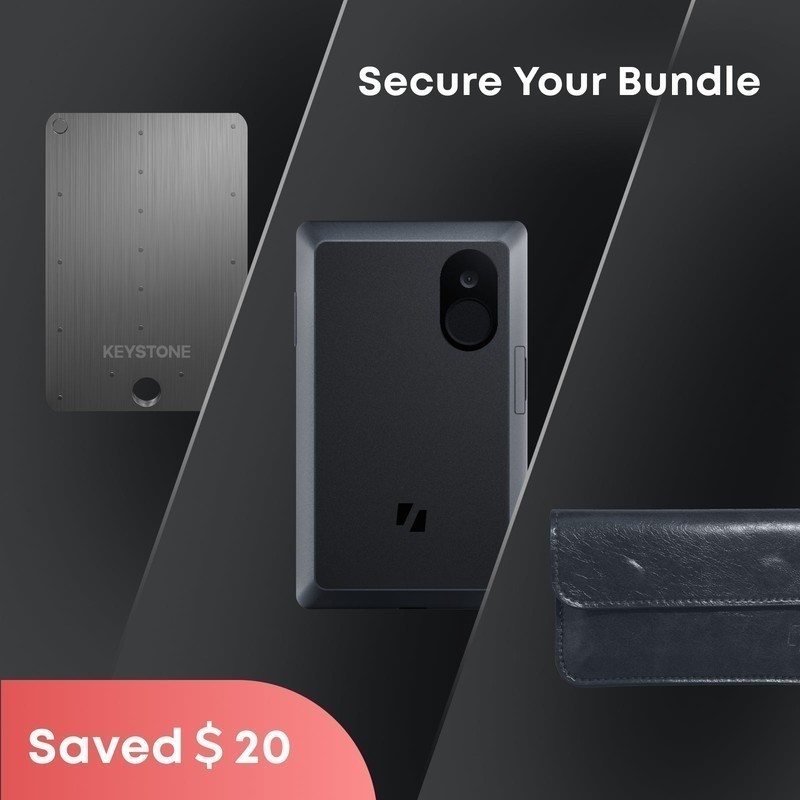
The Keystone 3 Pro is a fully air-gapped hardware wallet with a 4-inch touchscreen, triple secure elements, fingerprint sensor, built-in camera for QR code signing, and open-source firmware. It communicates exclusively via QR codes — no USB data, no Bluetooth, no WiFi — eliminating every remote attack vector. It is the most security-paranoid hardware wallet available.
Best for maximum security with zero wireless attack surface, skip if you need Bluetooth for mobile signing.
Where to Buy
Pros
- 100% air-gapped — QR code only, no USB data, no Bluetooth, no WiFi, no NFC
- Triple secure elements (3 independent chips) for defense-in-depth
- 4-inch touchscreen shows full transaction details clearly
- Fingerprint sensor for biometric unlock — faster than PIN entry
- Open-source firmware — fully auditable, like Trezor
Cons
- QR code scanning is slower than USB or Bluetooth signing
- Larger and heavier than Ledger/Trezor devices (114mm, 108g)
- CC EAL5+ certification (vs EAL6+ on Ledger and Trezor)
- Smaller brand recognition than Ledger or Trezor
The Air-Gapped Approach
The Keystone 3 Pro has no data port — the USB-C connector is for charging only and is physically incapable of data transfer. The data lines are not connected to the processor; this is verified by the open-source hardware schematics published on GitHub. There is no Bluetooth, no WiFi, no NFC. The only way to send transaction data to the device is via QR code, displayed on your phone and scanned by the Keystone's built-in camera. The signed transaction is displayed as a QR code on the Keystone's 4-inch touchscreen and scanned by your phone's camera.
This eliminates every remote attack vector that exists for connected wallets. Even if your phone is compromised with sophisticated malware — clipboard hijackers that swap addresses, screen overlay attacks that hide transaction details, or Bluetooth relay attacks — the malware cannot directly communicate with the Keystone. It can only show QR codes, and the Keystone independently parses and displays the transaction details on its own screen for you to verify before signing. The air gap is not a software configuration that could be overridden by a firmware update; it is a physical property of the hardware design.
The QR code protocol uses Uniform Resources (UR), an open standard developed by Blockchain Commons that encodes transaction data into animated QR codes for large payloads. A standard Bitcoin PSBT (partially signed Bitcoin transaction) fits in a single static QR code. Complex Ethereum transactions with contract data may require an animated sequence of 3-5 QR frames that the camera captures in about 2-3 seconds. The round-trip time for signing — phone displays QR, Keystone scans, user verifies, Keystone displays signed QR, phone scans — takes roughly 15-30 seconds depending on transaction complexity. This is slower than USB or Bluetooth signing, but the security trade-off is absolute.
Triple Secure Elements and Anti-Tamper
While Ledger and Trezor use a single secure element, the Keystone 3 Pro uses three independent secure element chips from different manufacturers. The primary chip (Microchip ATECC608A) handles key generation and storage. The second chip manages authentication and firmware integrity verification. The third handles encryption of data at rest. If one chip had a hardware vulnerability — discovered via side-channel analysis or fault injection — the other two still protect your keys through independent cryptographic boundaries.
This defense-in-depth approach is unique in the hardware wallet market. The trade-off is CC EAL5+ certification (vs EAL6+ on Ledger/Trezor) — the triple-chip architecture does not fit the single-chip certification model that Common Criteria evaluates. Whether three EAL5+ chips provide more practical security than one EAL6+ chip is debated in the security community, but the redundancy argument is compelling: single points of failure are the enemy of security engineering.
The Keystone 3 Pro also includes hardware anti-tamper mechanisms that detect physical intrusion attempts. If the device detects that its case has been opened or its circuit board has been probed, it triggers a self-destruct sequence that wipes all private keys from memory. The web authentication feature lets you verify on Keystone's website that your device has not been tampered with during shipping — a supply chain attack defense that addresses the real-world risk of intercepted packages. Combined with the open-source firmware that anyone can audit and build from source, the Keystone presents a layered security model that addresses threats from network-level (air gap), physical-level (anti-tamper), firmware-level (open source), and cryptographic-level (triple secure elements).
Air-Gapped QR Code Signing
The Keystone 3 Pro's signing workflow is entirely optical, and understanding the mechanics reveals why this design eliminates attack vectors that connected wallets cannot. The process begins on your software wallet — MetaMask, Rabby, Sparrow, or BlueWallet — which constructs an unsigned transaction and encodes it as a QR code displayed on your phone or computer screen. You then point the Keystone's built-in 5MP rear camera at this QR code. For simple Bitcoin PSBTs (partially signed Bitcoin transactions), a single static QR frame contains the full payload. For complex Ethereum contract interactions with calldata, the UR (Uniform Resources) protocol from Blockchain Commons splits the data across an animated sequence of 3-8 QR frames that the camera captures in 2-4 seconds.
Once the Keystone's camera ingests the unsigned transaction, the device parses it entirely on its own processor — isolated from any network — and renders the full transaction details on its 4-inch IPS touchscreen at 480x800 resolution. This screen size is critical for security: you can read the recipient address in full (not truncated to first and last 4 characters like on a Ledger Nano S Plus's 128x64 pixel display), verify the token amount and contract address, and confirm gas parameters for Ethereum transactions. After you verify the details and authenticate with the fingerprint sensor, the Keystone's secure element signs the transaction and the device displays the signed transaction as a new QR code on its screen. Your phone camera scans this QR, and the software wallet broadcasts the signed transaction to the network.
Compared to Ledger's connected approach — USB data transfer or Bluetooth 5.0 — the Keystone trades convenience for an absolute elimination of remote attack surface. Ledger's Bluetooth stack has been audited extensively, and no practical exploits have been demonstrated against current firmware, but the attack surface exists by definition: any wireless protocol can theoretically be intercepted, jammed, or exploited via yet-undiscovered vulnerabilities. The Keystone's QR-only design means the device has no radio, no data-capable port, and no protocol stack that could be targeted remotely. The only input vector is optical — a camera reading QR codes — and the only output vector is visual — a screen displaying QR codes. Malware on your phone can display a malicious QR code with a swapped recipient address, but the Keystone's screen will show that address clearly for you to verify before signing. The 15-30 second round-trip time per transaction is the price you pay for this guarantee.
Connected vs Air-Gapped Philosophy
The Keystone 3 Pro and the Ledger Nano X represent opposite ends of the hardware wallet design spectrum: maximum security versus maximum convenience. The Ledger connects via Bluetooth and USB, allowing seamless mobile signing through Ledger Live. The Keystone communicates only through QR codes, requiring a deliberate scanning ritual for every transaction. Neither approach is wrong — they serve fundamentally different use cases and risk profiles.
For cold storage of long-term holdings that rarely move, the air-gapped approach is superior. Your private keys exist on a device that has never been connected to any network, ever. There is no firmware update mechanism that could be exploited remotely, no Bluetooth stack that could have undiscovered vulnerabilities, no USB interface that could be targeted by BadUSB attacks. The Keystone's attack surface is limited to its camera (which only reads QR codes) and physical access to the device itself. For six-figure or seven-figure crypto holdings, this level of paranoia is proportionate to the risk.
For active DeFi participation — daily token swaps, liquidity provision, NFT trading, yield farming — the QR code workflow adds 15-30 seconds per transaction that accumulates into significant friction over dozens of daily interactions. The Ledger Nano X's Bluetooth signing takes 3-5 seconds per transaction. The Keystone also supports Shamir backup (splitting your seed into multiple shares), the fingerprint sensor replaces PIN entry for faster unlocking, and the 4-inch touchscreen displays transaction details with clarity that matches the Ledger Flex. For users who want the best of both worlds, pairing a Keystone for cold storage with a Ledger for daily DeFi is a common and well-reasoned strategy.
Full Specifications
Processor
| Specification | Value |
|---|---|
| security_chip | Triple secure element (3 independent chips) [1] |
| certification | CC EAL5+ [1] |
| open_source | Firmware fully open-source [1] |
| air_gapped | 100% air-gapped (no USB, no Bluetooth, no WiFi) [1] |
Memory
| Specification | Value |
|---|---|
| supported_coins | 5,500+ [1] |
| supported_chains | 100+ blockchains [1] |
Connectivity
| Specification | Value |
|---|---|
| connectivity | QR code only (no USB, no wireless) [1] |
| bluetooth | No (air-gapped) [1] |
| nfc | No (air-gapped) [1] |
I/O & Interfaces
| Specification | Value |
|---|---|
| Display | 4" touchscreen (480x800) [1] |
| Touch | Capacitive touchscreen [1] |
| Camera | Built-in camera (for QR code scanning) [1] |
| fingerprint | Fingerprint sensor [1] |
Power
| Specification | Value |
|---|---|
| battery | 1000 mAh Li-Ion (USB-C charging) [1] |
Physical
| Specification | Value |
|---|---|
| Dimensions | 114.3 x 64.5 x 10 mm [1] |
| weight_g | 108 g [1] |
| Form Factor | Phone-sized (air-gapped) [1] |
Who Should Buy This
Triple secure elements, air-gapped QR-only communication, open-source firmware, and biometric unlock. Every remote attack vector is eliminated. The 4-inch screen shows every transaction detail clearly before signing.
QR code scanning for every transaction is too slow for frequent trading. The Ledger Nano X with Bluetooth provides seamless mobile signing through Ledger Live.
Better alternative: Ledger Nano X
Both the Keystone 3 Pro and Trezor Safe 5 have open-source firmware. The Keystone has a larger screen (4" vs 1.54") and fingerprint sensor. The Trezor has wider brand recognition and MetaMask integration. Choose based on screen preference and air-gap priority.
Better alternative: Trezor Safe 5
Ecosystem & Community
Keystone uses an open QR code protocol (UR - Uniform Resources) that integrates with MetaMask, Rabby, BlueWallet, Sparrow, and other software wallets. Air-gapped by design — no USB data, no Bluetooth, no WiFi. Communication is exclusively optical via QR codes.
Compatible Software
What to Build First
Pair with Sparrow Wallet or BlueWallet via QR code (no USB ever), receive Bitcoin to a verified address, then sign a transaction by scanning a QR code from your computer and displaying the signed transaction QR back. Zero wired or wireless connection throughout.
View tutorial →Must-Have Accessories
Video Reviews & Tutorials
Tutorials & Resources
- Keystone Support & GuidesOfficial setup guides, wallet pairing tutorials, and troubleshootingdocs
- Keystone 3 FirmwareOpen-source firmware for security verification and community auditgithub
Frequently Asked Questions
Keystone 3 Pro vs Ledger Nano X?
The Keystone is air-gapped (QR only, no Bluetooth/USB data) with a 4-inch touchscreen and fingerprint sensor. The Nano X has Bluetooth for mobile signing and is much smaller. Choose Keystone for maximum security; choose Ledger for convenience.
How does QR code signing work?
Your phone wallet app (MetaMask, Rabby, etc.) shows a QR code with the unsigned transaction. You scan it with the Keystone's camera. The Keystone shows the transaction on its screen for verification. You approve and the Keystone displays a QR code of the signed transaction. Your phone scans it and broadcasts.
Is the USB-C port really data-free?
Yes. The USB-C port connects only to the charging circuit. There are no data lines connected to the processor. Even if you plug it into a computer, no data can be transmitted. This is verified by the open-source hardware schematics.
Does the Keystone work with MetaMask?
Yes. MetaMask supports QR-based hardware wallets including the Keystone. The MetaMask browser extension has a QR Hardware Wallet option. Rabby, Sparrow, and other wallets also support Keystone QR signing.
What is the fingerprint sensor for?
The fingerprint sensor replaces PIN entry for unlocking the device. It also provides an additional authentication factor for transaction signing — you must both verify the transaction on screen and authenticate with your fingerprint.
Compared In
Keystone 3 Pro appears in 1 buying guide on PAM Finds. These weigh it directly against the alternatives.