Ledger Flex
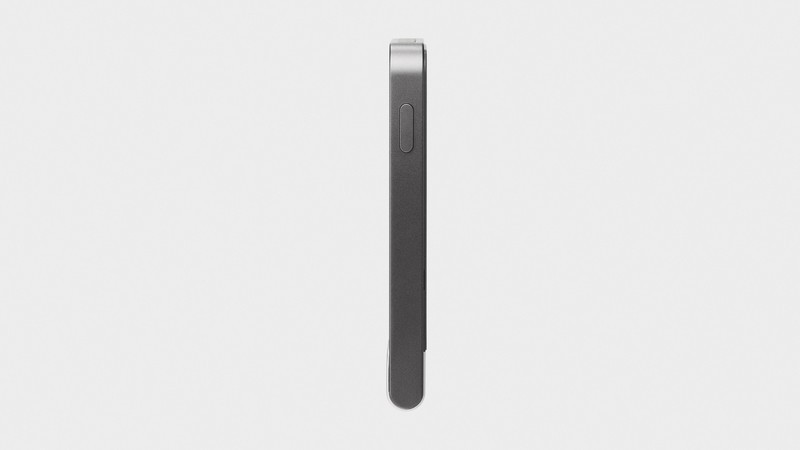
The Ledger Flex is Ledger's premium hardware wallet with a 2.84-inch E-Ink touchscreen, Bluetooth 5.2, NFC for tap-to-sign, and the same CC EAL6+ secure element that protects all Ledger devices. The E-Ink display shows full transaction details and addresses clearly, eliminating the squinting required on OLED-screen models.
Best premium hardware wallet with a touchscreen, skip if budget matters more than display quality.
Where to Buy
Pros
- 2.84-inch E-Ink touchscreen displays full addresses and transaction details clearly
- NFC for tap-to-sign on compatible phones — fastest signing method
- Bluetooth 5.2 for wireless mobile signing
- CC EAL6+ secure element — same proven security as all Ledger devices
- Card-sized form factor (78 x 56mm) fits in a wallet or card holder
Cons
- Significantly higher price than the Nano S Plus or Nano X
- E-Ink display has slower refresh than OLED — noticeable when scrolling
- 200mAh battery is larger but still needs regular charging with Bluetooth use
- NFC support requires compatible phone hardware
The E-Ink Display Advantage
The 2.84-inch 240x400 E-Ink touchscreen is the Flex's defining feature. E-Ink is readable in direct sunlight, consumes power only when changing content, and displays crisp text at any angle. For verifying cryptocurrency addresses — where a single wrong character sends funds to the wrong wallet — display quality matters. The Flex can display a full 42-character Ethereum address (0x followed by 40 hex characters) on a single screen without truncation or scrolling.
The Nano S Plus and Nano X use 128x64 OLED screens that show approximately 20 characters per line. A full Ethereum address requires scrolling through three or four screens, and users must mentally reconstruct the full address from fragments. Address verification fatigue is a real problem — when every transaction requires scrolling, users start skipping verification, which is exactly when clipboard-hijacking malware strikes. The Flex's full-address display eliminates this friction entirely, making careful verification the path of least resistance.
The E-Ink technology also has a practical battery benefit. Unlike OLED, which draws power continuously while the display is on, E-Ink consumes power only when changing what is shown. The Flex can display a QR code or address indefinitely without draining the battery. The trade-off is refresh speed — E-Ink redraws take roughly 300-500ms compared to OLED's instant updates, so scrolling through long smart contract details feels noticeably slower. For most signing workflows this is irrelevant, but power DeFi users reviewing complex multi-step transactions may notice the lag.
NFC Tap-to-Sign and Battery Life
NFC adds a third connectivity option alongside USB-C and Bluetooth. Hold the Flex against an NFC-enabled phone to initiate a signing session. The workflow is: open Ledger Live on phone, prepare transaction, tap Flex against phone, verify details on E-Ink screen, confirm with touchscreen tap. The entire signing process takes under 10 seconds once you are practiced — faster than unlocking the Nano X, waiting for Bluetooth to pair, and navigating with buttons.
NFC range is limited to approximately 4cm, so the device must be physically touching the phone — this is a security feature, not a limitation. Unlike Bluetooth, which can theoretically be intercepted from meters away (though protected by encryption), NFC requires physical proximity that is essentially impossible to compromise remotely. For quick balance checks and single-transaction signing, NFC is the optimal workflow. For extended sessions involving multiple transactions (batch token swaps, NFT minting sequences), Bluetooth 5.2 avoids the need to repeatedly tap the device.
The 200mAh internal battery supports roughly 10-12 hours of intermittent use with Bluetooth enabled, or weeks of standby. Charging takes about 1.5 hours via USB-C. Unlike the Nano X's smaller 100mAh battery, the Flex's battery degradation is partially offset by E-Ink's lower power draw — after 2-3 years of regular use, you will still get a full day of mobile signing. When the battery eventually dies, the Flex continues to work via USB-C indefinitely.
Premium Build and DeFi/NFT Management
The Flex's card-sized form factor (78 x 56 x 7.7mm) is deliberately designed to fit in a wallet or card holder. At 57.5g, it is heavier than a credit card but lighter than a phone. The matte black finish and flat profile look like a premium tech product rather than a USB drive — a subtle but important distinction when you are carrying thousands of dollars in crypto security. The gorilla glass covering the E-Ink display resists scratches from keys and coins in a pocket.
For DeFi and NFT management, the Flex's touchscreen transforms what was previously a frustrating experience on Nano devices. ERC-20 token approvals display the full contract address, the approved amount, and the spender address on a single screen. You can see exactly what you are signing without truncation. Uniswap swaps show both token amounts and the router contract address. NFT transfers display the collection name, token ID, and destination address clearly. On the Nano's 128x64 OLED, all of this required multiple screens of scrolling through hex data that most users could not interpret.
Compared to the Trezor Safe 5, the Flex wins on display real estate (2.84" vs 1.54"), Bluetooth availability, and NFC tap-to-sign. The Safe 5 wins on open-source firmware transparency, color display vibrancy, haptic feedback, and broader cryptocurrency support (9,000+ vs 5,500+ coins). Both are excellent premium wallets — the choice hinges on whether you prioritize verifiable firmware or the best display hardware available.
E-Ink Display: Why It Matters for Security
The Ledger Flex's 2.84-inch E-Ink touchscreen is not just a usability upgrade — it is a security feature. E-Ink displays are bistable: once pixels are set, they retain their state without any power. When you verify a transaction on the Flex and then disconnect or power down the device, the last verified transaction details remain visible on screen indefinitely. This creates a persistent physical record of what was signed. If malware on your computer attempted to swap the destination address between your verification and the actual signing, the E-Ink screen would still show the address you approved, providing an auditable trail.
Screen spoofing attacks target the gap between what users see and what the secure element actually signs. On LCD and OLED displays, the screen content disappears the instant power is removed — there is no way to verify after the fact what was displayed during signing. The Trezor Safe 5's 1.54-inch color LCD (240x240) produces vivid graphics and smooth animations, but it requires continuous power to maintain the display. If the device loses power mid-transaction or is quickly disconnected after signing, the screen goes blank. The Flex's E-Ink display persists through power cycles, meaning you can physically examine the device minutes or hours later to confirm exactly what transaction details were shown during signing.
The E-Ink technology also enables the Flex's NFC tap-to-sign workflow. Because the display does not need continuous power, the Flex can show transaction details via NFC power harvesting alone — the phone's NFC field supplies enough energy to update the E-Ink screen and process the signing operation. The 240x400 resolution at 2.84 inches delivers 166 PPI, sharp enough to display full 42-character Ethereum addresses, QR codes, and multi-line smart contract summaries without the truncation that plagues the Nano's 128x64 OLED. In direct sunlight — common when signing transactions outdoors or at point-of-sale — E-Ink maintains full readability while OLED and LCD screens wash out. The trade-off is refresh speed: E-Ink redraws take 300-500ms compared to OLED's sub-millisecond updates, making scrolling through long contract data noticeably sluggish. For the typical signing workflow (display, verify, confirm), this latency is irrelevant.
Common Gotchas
The E-Ink display has a visible refresh delay (200-300ms) when transitioning between screens. Scrolling through long transaction details feels noticeably laggy compared to the Trezor Safe 5's color LCD. This is an inherent E-Ink limitation, not a defect — the trade-off for always-on display and sunlight readability.
At the premium price point ($249), the Flex competes with keeping a Nano S Plus ($79) for daily use and a Nano X ($149) for mobile — totaling $228 for two devices that cover all use cases. The Flex is the best single device but two cheaper devices provide more flexibility.
NFC functionality is limited to specific operations in Ledger Live — you cannot sign arbitrary transactions via NFC tap. For most operations, you still need the USB-C cable. NFC's primary use is quick balance checks and receiving addresses.
The credit-card form factor (78x56mm) means no physical buttons — all interaction is touchscreen. In cold weather with gloves, the capacitive touch doesn't register. For outdoor/cold-weather use, the Nano X's physical buttons work with gloves.
Full Specifications
Processor
| Specification | Value |
|---|---|
| security_chip | ST33K1M5 (CC EAL6+) [1] |
| certification | CC EAL6+ [1] |
Memory
| Specification | Value |
|---|---|
| storage_apps | Up to 100 apps [1] |
| supported_coins | 5,500+ [1] |
| supported_chains | 50+ blockchains [1] |
Connectivity
| Specification | Value |
|---|---|
| connectivity | USB-C + Bluetooth + NFC [1] |
| bluetooth | Bluetooth 5.2 [1] |
| nfc | Yes [1] |
I/O & Interfaces
| Specification | Value |
|---|---|
| Display | 2.84" E-Ink touchscreen (240x400) [1] |
| Touch | Capacitive touchscreen [1] |
| USB | USB-C [1] |
Power
| Specification | Value |
|---|---|
| battery | 200 mAh Li-Po [1] |
Physical
| Specification | Value |
|---|---|
| Dimensions | 78.40 x 56.50 x 7.70 mm [1] |
| weight_g | 57.5 g [1] |
| Form Factor | Card-sized (E-Ink touchscreen) [1] |
Who Should Buy This
The 2.84-inch E-Ink touchscreen shows full Ethereum addresses (42 characters) without scrolling. You can verify every digit before signing. On the Nano's 128x64 OLED, this requires scrolling through truncated text.
Tap the Flex against your phone to initiate signing. Verify on the E-Ink screen. Confirm with touch. Faster than Bluetooth pairing and cable connection.
The Nano S Plus uses the same secure element and supports the same coins. The Flex's premium is for the display and NFC experience. If security is your priority over UX, the Nano S Plus delivers it for less.
Better alternative: Ledger Nano S Plus
Ecosystem & Community
The Flex shares Ledger's full ecosystem — Ledger Live, 200+ apps, MetaMask/Rabby integration, and DeFi protocol support. The E-Ink touchscreen makes complex DeFi transaction verification practical for the first time on a hardware wallet.
Compatible Software
What to Build First
Set up the Flex, pair via Bluetooth, and sign your first DeFi transaction while reading the full contract details on the 2.84-inch E-Ink display. Verify token approvals and swap parameters on-device before confirming.
View tutorial →Must-Have Accessories
Video Reviews & Tutorials
Tutorials & Resources
- Ledger AcademySecurity education covering hardware wallet best practices and DeFi safetydocs
- Ledger LiveOpen-source companion app for portfolio management and app installationgithub
Frequently Asked Questions
Ledger Flex vs Nano X: is the upgrade worth it?
If you value display quality and NFC, yes. The Flex's touchscreen eliminates the frustration of navigating with two tiny buttons on a small OLED. NFC tap-to-sign is faster than Bluetooth. If you are happy with the Nano X's display and button interface, save the money.
Ledger Flex vs Trezor Safe 5: which is better?
Both have touchscreens and secure elements (CC EAL6+). The Flex has a larger E-Ink display (2.84" vs 1.54") and NFC. The Trezor Safe 5 has fully open-source firmware and supports 9,000+ coins (vs 5,500+). Choose based on display preference and open-source importance.
Does the Flex's E-Ink display have a backlight?
No. E-Ink is reflective — it uses ambient light like paper. In dark environments, you need external light to read the screen. This is a trade-off for the excellent sunlight readability and low power consumption.
Can I use the Flex without NFC, just USB-C?
Yes. USB-C works for all operations. Bluetooth and NFC are optional convenience features. You can use the Flex as a USB-C-only device identical to the Nano S Plus in terms of connectivity.
Does the Flex fit in a regular wallet?
Yes. At 78 x 56 x 7.7mm, it is slightly larger than a credit card (85 x 54mm) but similar thickness. It fits in most card holders and wallet pockets. Weight is 57.5g — heavier than a card but lighter than a phone.
Compared In
Ledger Flex appears in 6 buying guides on PAM Finds. These weigh it directly against the alternatives.
- Keystone 3 Pro vs Ledger Flex: Air-Gapped or Connected?
- Ledger Flex vs Trezor Safe 5: Which Wallet Wins in 2026?
- Ledger Nano S Plus vs Nano X vs Flex (2026)
- Ledger vs Trezor 2026: Which Hardware Wallet?
- Best Hardware Wallets 2026: Ledger vs Trezor (5 Tested)
- Best Ledger Wallet 2026: Nano S Plus vs Nano X vs Flex