Creality Ender 3 V3
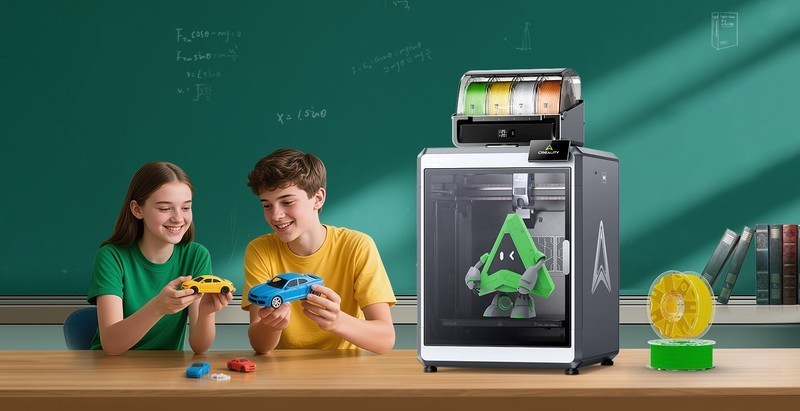
The Creality Ender 3 V3 is a CoreXZ bed-slinger 3D printer with a 220x220x250mm build volume, 600mm/s advertised speed, CR Touch auto-leveling, Sprite direct drive extruder, and Klipper firmware. At $289, it is Creality's attempt to modernize the legendary Ender 3 platform — faster and smarter, but still a tinkerer's machine at heart.
Best budget entry for users who want to learn printer modification — skip if you want hassle-free printing out of the box.
Where to Buy
Pros
- $289 price with 220x220x250mm build volume — more print space per dollar than the Bambu A1 Mini
- Klipper firmware with full macro and input shaping support — unlimited customization potential
- Sprite direct drive extruder handles PLA, PETG, and flexible TPU without Bowden tube issues
- Massive community — decades of Ender 3 mods, guides, and troubleshooting resources
- CR Touch auto-leveling eliminates manual bed tramming — a major improvement over the Ender 3 V2
Cons
- Out-of-box print quality requires tuning — pressure advance, input shaping, and belt tension need adjustment
- 600mm/s is advertised max, not practical speed — realistic quality printing is closer to 250-350mm/s
- Louder than Bambu printers — fan noise and stepper vibration are noticeable in quiet rooms
- Creality Print slicer is mediocre — plan to switch to OrcaSlicer or PrusaSlicer immediately
- Build quality inconsistency — some units need eccentric nut adjustment and bed rewiring out of box
The Ender Legacy: Modder's Paradise
The original Ender 3 created the affordable 3D printing market in 2018. At $200, it proved that functional printers did not need to cost $1000. The community that grew around it — millions of users across Reddit, YouTube, and Discord — produced more mods, guides, and troubleshooting resources than any printer before or since.
The Ender 3 V3 inherits that community while upgrading the hardware. The CoreXZ kinematics replace the V2's cantilever X-axis with a dual-rail system for better rigidity. The Sprite direct drive extruder eliminates the Bowden tube, enabling flexible filament printing. CR Touch replaces the manual bed tramming that made the original Ender 3 a beginner's nightmare.
But the core identity remains: this is a tinkerer's machine. Creality gives you a functional platform and expects you to make it better. Printed fan ducts, all-metal hotend upgrades, linear rail conversions, Raspberry Pi running Klipper via USB — the Ender 3 V3 is a starting point, not a destination. If that excites you, buy it. If it sounds like work, buy a Bambu.
600mm/s Claims vs Reality
Creality advertises 600mm/s, which the V3 can technically reach on long straight segments. Practical quality printing happens at 250-350mm/s — still significantly faster than the original Ender 3's 60mm/s but well below the headline number. The gap between marketing speed and quality speed is wider on the Ender 3 V3 than on Bambu printers, which maintain quality closer to their advertised speeds thanks to better input shaping and vibration damping.
The CoreXZ design contributes to this gap. While better than the V2's cantilever, the Z-axis motion during printing adds a resonance mode that CoreXY printers avoid entirely. At 400mm/s+, ringing artifacts become visible on sharp corners unless input shaping is carefully tuned via Klipper's accelerometer-based calibration.
For users willing to tune, the sweet spot is 300mm/s with 5000mm/s² acceleration and properly configured pressure advance. At these settings, the Ender 3 V3 produces prints that compete with the Bambu A1 in quality while costing $10 less. The tuning time investment is the real cost difference.
The Honest Budget Comparison
At $289, the Ender 3 V3 competes directly with the Bambu A1 ($299) and indirectly with the A1 Mini ($199). The value proposition depends entirely on what you value: customization or convenience.
The A1 wins on: print quality out of box, noise (49dB vs ~55dB), auto-calibration sophistication, quick-change nozzle system, AMS Lite multi-color option, and slicer quality (Bambu Studio vs Creality Print). These are significant advantages for users who want a tool, not a project.
The Ender 3 V3 wins on: Klipper firmware with full macro control, larger community with more mod options, larger build volume than the A1 Mini, and the educational value of learning how printers actually work. A year with an Ender 3 V3 teaches you more about 3D printing mechanics than five years with a Bambu.
The uncomfortable truth: for most people buying their first printer in 2026, the A1 Mini at $199 is the better choice. It prints better, requires less time investment, and costs less. The Ender 3 V3 is for the specific person who wants to learn by doing, not just by printing.
Klipper on a Budget: What $289 Gets You
The Ender 3 V3 is the cheapest Klipper-based printer available from a major manufacturer. Klipper firmware — running on the onboard ARM processor — provides features that were exclusive to $500+ machines two years ago: input shaping for ringing elimination, pressure advance for clean corners, and a macro system for automated print sequences. SSH access gives you full control over the printer's behavior at the firmware level.
For home automation enthusiasts, Klipper's Moonraker API enables integration with Home Assistant, Node-RED, and custom scripts. Trigger prints from a dashboard, monitor temperatures via MQTT, pause prints when a smoke detector triggers, or start a print farm queue from a single interface. The Bambu ecosystem has no equivalent — Bambu's API is closed and undocumented. At $289, the Ender 3 V3 is a capable Klipper development platform for users who see the printer as a programmable tool rather than an appliance.
Ender 3 Legacy: Why This Printer Matters
The Ender 3 is the best-selling 3D printer in history. Since its 2018 launch, the original and its variants have sold millions of units and single-handedly created the sub-$300 3D printing market. The r/ender3 subreddit has over 300,000 members — more than any single printer community — and the cumulative knowledge base across Reddit, YouTube, Discord, and dedicated forums represents the deepest troubleshooting resource in the hobby. When you buy an Ender 3 V3, you are not just buying a printer. You are buying access to a decade of community-generated documentation that covers every failure mode, every upgrade path, and every material configuration.
The mod ecosystem is staggering. Thingiverse and Printables host over 500,000 Ender 3-tagged designs: fan duct replacements, cable chains, filament guides, direct drive conversions, linear rail upgrades, enclosure kits, LED mounts, Raspberry Pi camera arms, and complete frame rebuilds. The Ender 3 is the Honda Civic of 3D printing — a reliable platform with an aftermarket ecosystem so deep that the stock machine is just a starting point.
The V3 now competes head-to-head with the Bambu A1 Mini, and the comparison is not entirely favorable. The A1 Mini costs $90 less at $199, prints better out of the box, runs quieter at 49dB, and requires zero calibration. The Ender 3 V3 counters with a larger 220x220x250mm build volume (versus 180mm cubed), Klipper firmware with full macro support, and the educational value of learning how a printer actually works. For upgraders coming from an older Ender 3 or Ender 3 V2, the V3 is a meaningful improvement — CoreXZ kinematics, Sprite direct drive, and CR Touch auto-leveling fix the original's worst pain points without requiring you to relearn anything. But if you are starting fresh with no Creality investment, the honest question is whether the larger build volume and Klipper access justify paying $90 more than an A1 Mini that prints better with zero effort. For tinkerers, yes. For everyone else, the A1 Mini is the exit ramp from DIY frustration — and that exit ramp exists because printers like the Ender 3 taught the industry what beginners actually need.
Common Gotchas
At $289, the Ender 3 V3 competes directly with the Bambu Lab A1 Mini at $199. The A1 Mini prints faster, has better auto-calibration, and the Bambu ecosystem is more polished. The Ender 3 V3's main advantage is Klipper with full customization — if you won't customize, the A1 Mini is the better buy.
Klipper is pre-installed but Creality's version restricts SSH access and config editing, similar to the Sonic Pad. To get full open-source Klipper, you need to reflash with stock Klipper, which voids the warranty and requires comfort with Linux command line.
The "600mm/s" marketing speed is the theoretical maximum traverse speed, not the actual print speed. Real-world print speeds with good quality are 150-300mm/s depending on the model complexity. Marketing speeds across all 3D printer brands are exaggerated — always look at real-world Benchy times.
Bed adhesion on the stock PEI sheet can be inconsistent with PETG. PETG bonds too well to PEI and can tear the surface when removing prints. Use a glue stick or PVA as a release agent when printing PETG. PLA adhesion is fine.
Full Specifications
Connectivity
| Specification | Value |
|---|---|
| WiFi | 802.11 b/g/n [1] |
I/O & Interfaces
| Specification | Value |
|---|---|
| Extruder | Sprite direct extruder [1] |
| Hotend | All-metal [1] |
| Auto Leveling | CR Touch [1] |
| Build Plate | PEI spring steel [1] |
| Camera | No [1] |
| Display | 4.3" color touchscreen [1] |
Physical
| Specification | Value |
|---|---|
| Enclosure | Open frame [1] |
| Dimensions | 424 x 487 x 490 mm [1] |
Who Should Buy This
The Ender 3 V3 is the educational platform of 3D printing. Klipper firmware teaches you G-code, macros, and motion system tuning. The massive community means every problem has a YouTube solution. You will learn more about how printers work in a month with an Ender than in a year with a Bambu.
At $289, the Ender 3 V3 offers a larger build volume (220x220x250mm) than the A1 Mini (180mm³) and Klipper firmware. But the A1 Mini at $199 prints better out of the box with zero tuning. The $90 savings on the Mini buys filament, not frustration.
Better alternative: Bambu Lab A1 Mini
The Ender 3 V3 requires meaningful setup and tuning before it matches a Bambu's output quality. Pressure advance, input shaping, belt tensioning, and slicer configuration are not optional — they are required for good results. The A1 Mini delivers perfect prints from minute one.
Better alternative: Bambu Lab A1 Mini
Full Klipper with SSH access on a $289 machine. Write custom start/end G-code macros, automate temperature sequences, integrate with Home Assistant via Moonraker API. The Ender 3 V3 is the cheapest Klipper development platform available.
QC inconsistency means each unit needs individual tuning. At volume, the time cost of calibrating each Ender exceeds the price savings over Bambu printers, which produce consistent results across units. Print farms use Bambu or Prusa for a reason.
Better alternative: Bambu Lab A1
Ecosystem & Community
The Ender 3 family has the largest modding community in consumer 3D printing. r/ender3 at 300K+ subscribers documents every possible upgrade. Klipper firmware gives full macro control and input shaping. Decades of YouTube tutorials cover every issue.
Compatible Software
What to Build First
Print your first Benchy, then use the printer to print its own upgrades — better fan duct, cable chain, filament guide, tool holder. The Ender 3 is the self-improving printer that teaches you 3D printing by improving itself.
View tutorial →Must-Have Accessories
Video Reviews & Tutorials
Tutorials & Resources
- 20 Must-Have Ender 3 Upgrades & ModsComprehensive guide to the best upgrades ranked by impact and difficultytutorial
- Creality Ender 3 V3 DocumentationOfficial firmware, slicer profiles, and setup guidesdocs
- Klipper FirmwareOpen-source firmware with macro system, input shaping, and pressure advancegithub
Frequently Asked Questions
Ender 3 V3 vs Bambu Lab A1 Mini: which is better for beginners?
The A1 Mini for most beginners. It costs $90 less, prints perfectly out of the box, and requires zero calibration. The Ender 3 V3 is better only if you specifically want to learn printer mechanics and Klipper firmware — it teaches more but demands more.
Is the Ender 3 V3 actually fast at 600mm/s?
Technically yes, practically no. Quality printing happens at 250-350mm/s. Above 400mm/s, ringing artifacts become visible without careful input shaping tuning. The Bambu A1 maintains quality closer to its 500mm/s rating thanks to better vibration compensation.
Can I upgrade the Ender 3 V3 to match a Bambu?
Partially. All-metal hotend, linear rails, better cooling, and Klipper tuning can close the gap significantly. But the total cost of upgrades often exceeds the price difference to a Bambu A1. The value is in the learning, not the cost savings.
Does the Ender 3 V3 print TPU and flexibles?
Yes. The Sprite direct drive extruder handles TPU at 85A-95A shore hardness. Print at 30-50mm/s with retraction reduced to 0.5-1mm. This is a genuine advantage over Bowden-tube printers, which struggle with flexible filaments.
Should I buy the Ender 3 V3 or the V3 SE?
The V3. The SE is an older design with a less rigid frame and weaker stepper drivers. The V3's CoreXZ kinematics, upgraded Sprite extruder, and Klipper firmware make it a meaningfully better printer. The SE's lower price does not justify its limitations.
What slicer should I use with the Ender 3 V3?
OrcaSlicer. It has pre-built Ender 3 V3 profiles with tuned pressure advance and input shaping settings. Creality Print works but lacks advanced features. PrusaSlicer is also excellent. Avoid using Creality Print as your primary slicer — it is the weakest option.
Is the Ender 3 community still active in 2026?
Extremely active. The Ender 3 family has the largest community in consumer 3D printing — millions of users across Reddit, YouTube, Discord, and forums. Every problem has been documented and solved. This community support is the Ender's most underrated feature.
Compared In
Creality Ender 3 V3 appears in 3 buying guides on PAM Finds. These weigh it directly against the alternatives.